Everyday tasks, demonstrated.
No sign-in required.
Three views demonstrate the workflow. Change a team’s status, check an event preparation task and view the attendance list.
Dispatch
Example patrols and an illustrative map. No real incidents or locations.
Team statuses
Illustrative positions
Change statuses beside each team. This example does not report an incident or send notifications.
Example event cover
An example schedule, staffing plan and event preparation checklist.
Event preparation
The checkboxes demonstrate a checklist. They do not change a real event.
Team schedule
- Organisational briefingDemo coordinator
- Start of event coverTeam A and Team B
- Review and closeoutCoordinator’s report
Demo workshop
Confirm a participant from the waiting list and mark attendance.
| Participant | Status | Action |
|---|
Instructor A · course organisation / Instructor B · team exercises
Attendance list — DEMO
Demo workshop · fictional participants only. The actual module can prepare lists for printing.
The demo is ready. Changes stay in this tab.
This example simplifies selected tasks. The event cover checklist is part of the demonstration; the organisation module has its own staffing and briefing views. Modules, roles and integrations are agreed for each organisation. Demo data is neither rescue documentation nor a training register.
The training module.
A practical example.
Two unaltered screenshots of the original Nielegalny interface in Polish: an event and its programme.
Screenshots from the local preview of the original Nielegalny training client on 21 October 2026. All people and event details are fictional. They do not demonstrate successful authentication or email or SMS delivery. They show the interface as it was on that date; the current module includes later improvements.
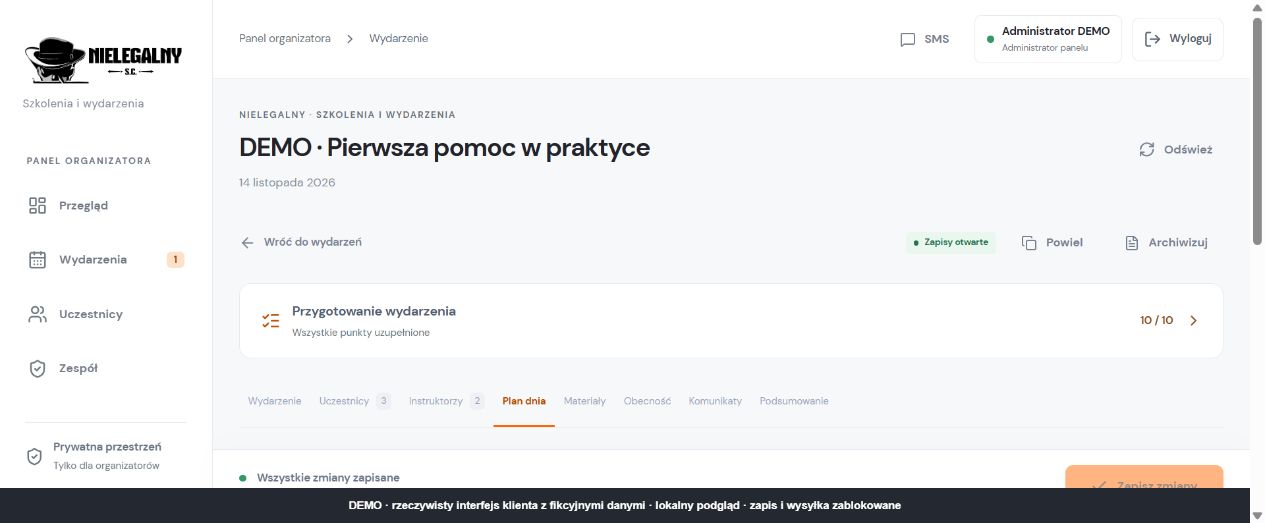
Event and work areas
The demo event title, preparation status and module tabs.
Select the image to open it at full size in a new tab.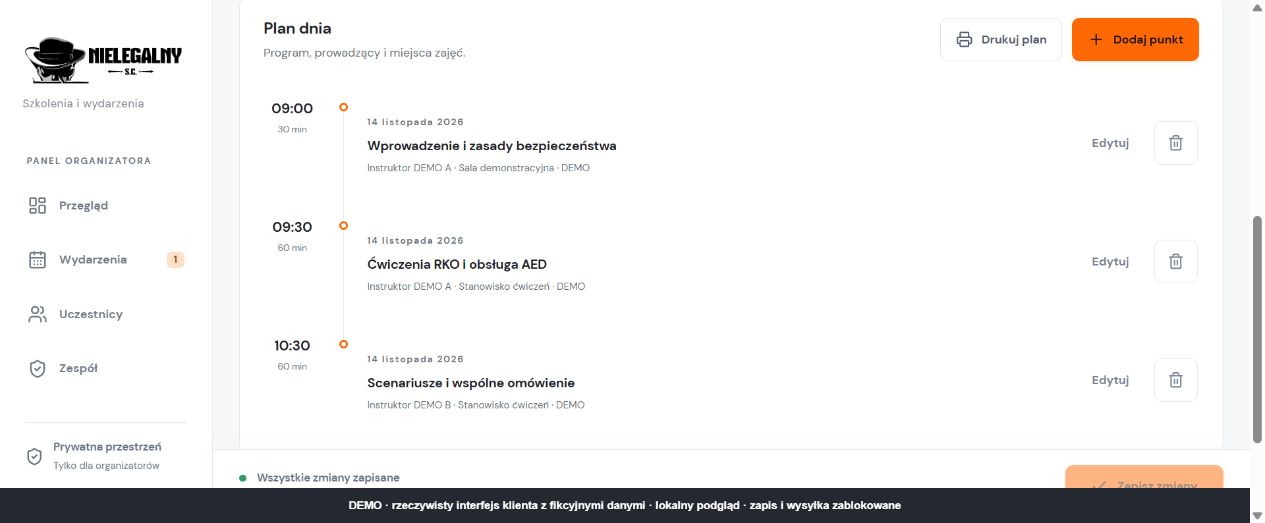
Programme and instructors
Three fictional programme items with times and example instructors.
Select the image to open it at full size in a new tab.